Free guide · Landing pages

The 10-minute landing page audit for paid traffic.

  • 20 checks with where to look, what good looks like and how to fix it
  • A scorecard that turns your results into a prioritised fix list
  • Copy-paste fixes you can use yourself or hand to your developer
  • Free and instant it opens straight away, with a PDF version

Step 1 of 2

Get the free guide

It opens straight away, with a PDF version if you want one.

Work email required. We’ll never share your details.

What’s inside

Seven chapters, twenty checks.

Technical enough to be useful, clear enough to act on. Every check tells you exactly where to look, what good looks like, and what to change, from page speed and mobile to forms and tracking.

1
Set up in two minutes
2
The first impression
3
Speed and stability
4
The mobile experience
5
The form
6
Tracking and the thank-you page
7
Your scorecard and fix list
LANDING PAGE AUDIT10:00MINUTES20 checks.10 minutes.
A taste

A taste of the guide.

Real screenshots and two of the 20 checks. Every check has the same three parts, and the full guide adds an interactive scorecard that builds your fix list as you go.

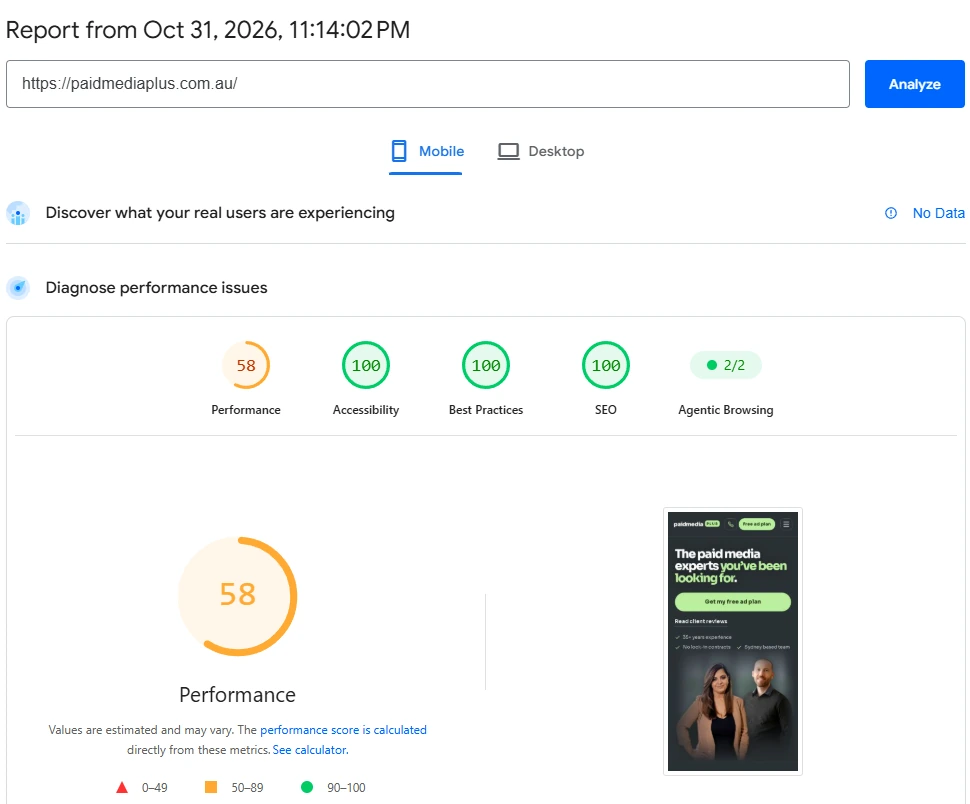
A PageSpeed Insights mobile report
From the guide: reading a real PageSpeed Insights report (our own homepage on mobile).
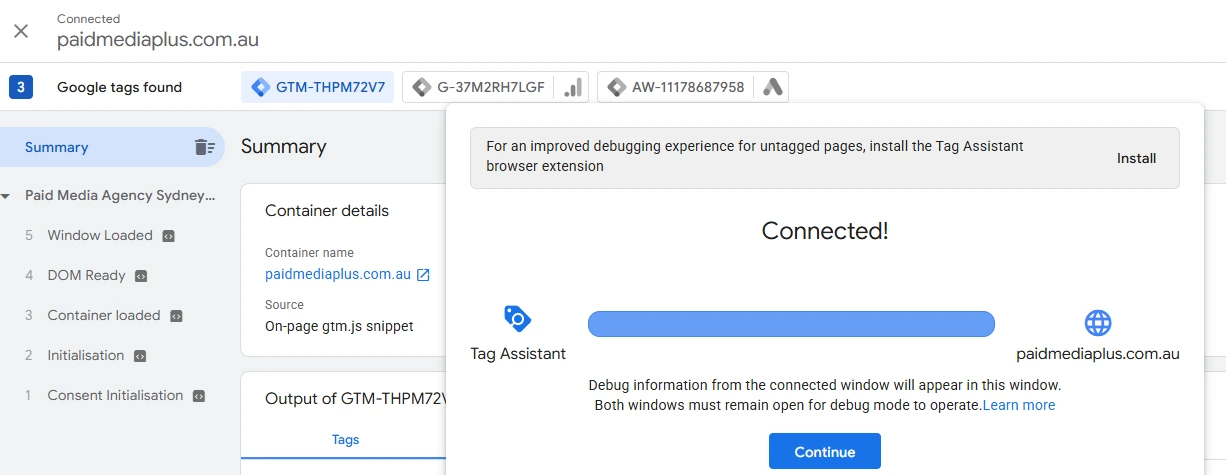
Google Tag Assistant connected to a website
From the guide: checking your tags with Tag Assistant.
7

The hero image

High impact10-minute fix
Check

In PageSpeed Insights, open Diagnostics and find Largest Contentful Paint element. That’s the thing your visitors are waiting for.

What good looks like

It’s a headline, or a compressed image of roughly 200 KB or less that starts loading straight away. Not a slider, a background video or a 3 MB photo.

Fix it

Resize the image to the size it’s actually shown, compress it at squoosh.app, and save it as WebP. In the page code, don’t lazy-load it, and give it priority:

Copy and paste
<img src="hero.webp" width="800" height="600"
     alt="Describe the image" fetchpriority="high">
20

Ad click data survives redirects

High impactDeveloper task
Check

Visit your landing page with test parameters added, like yourpage.com/?gclid=test123&utm_source=test. When the page has loaded, look at the address bar. Are the parameters still there?

What good looks like

Yes. And auto-tagging is switched on in Google Ads (Admin → Account settings → Auto-tagging).

Fix it

If the parameters disappear, a redirect is stripping them: http to https, non-www to www, or a trailing-slash rule. Google Ads can then no longer tie your conversions to the click that caused them. Ask your developer to make every redirect pass the full query string, then test again. Check the same for any link shortener or tracking redirect in the path. (A made-up click ID won’t register in Google Ads. The test only shows whether the parameters survive.)

Get your copy of the guide.

Free, interactive, and ready the moment you’ve filled in the form.

Get the guide